
Liv Grace
5 Min Read

How to Use MyFitnessPal with Fuelled for Flexibility
Fuelled Club Client Guide
This guide explains how to use MyFitnessPal on flexible days when you’re not following a set meal plan, and how it syncs back into the Fuelled app so your coach can still support you properly.
Why We Use MyFitnessPal
On flexible days or when opting for a macro-based nutrition approach, the goal is creating choice, awareness, flexibility and therefore staying on track as we are using consistency in daily nutrient targets!
Using MyFitnessPal allows you to:
Log meals when eating out or swap foods or meals
Stay aligned with your calorie and protein targets in particular
Give your coach or dietitian clear data and food logs to review patterns and adjust your plan. And most importantly... teach you how and where to make improvements in your choices!
Once logged, your day syncs automatically into the Fuelled app.
The reason this is preferred is it allows for better and more insightful overviews on our back end as well as the ability to easily access a broader food database if you opt to use a macro based approach with your dietitian or coach for the most part!
Step 1: Log Everything in MyFitnessPal
On flexible days:
Log all meals and snacks
Include drinks, oils, sauces and condiments
Log as you go, not all at the end of the day! Or plan your day in advance the day before (set your flexibility up for success!)
Honest logging = better coaching support.
Step 2: Choose the Best Food Entry
When adding food:
Use barcode scanning for packaged items
Choose entries with 'NUTTAB' (e.g Strawberries NUTTAB') or with the green tick where possible.
Match the brand or food as closely as you can
If it’s not exact - that’s okay. Choose like-for-like.
P.S - NUTTAB stands for: Nutrient Data Table for Use in Australia
Step 3: Measure Smart!
Best option:
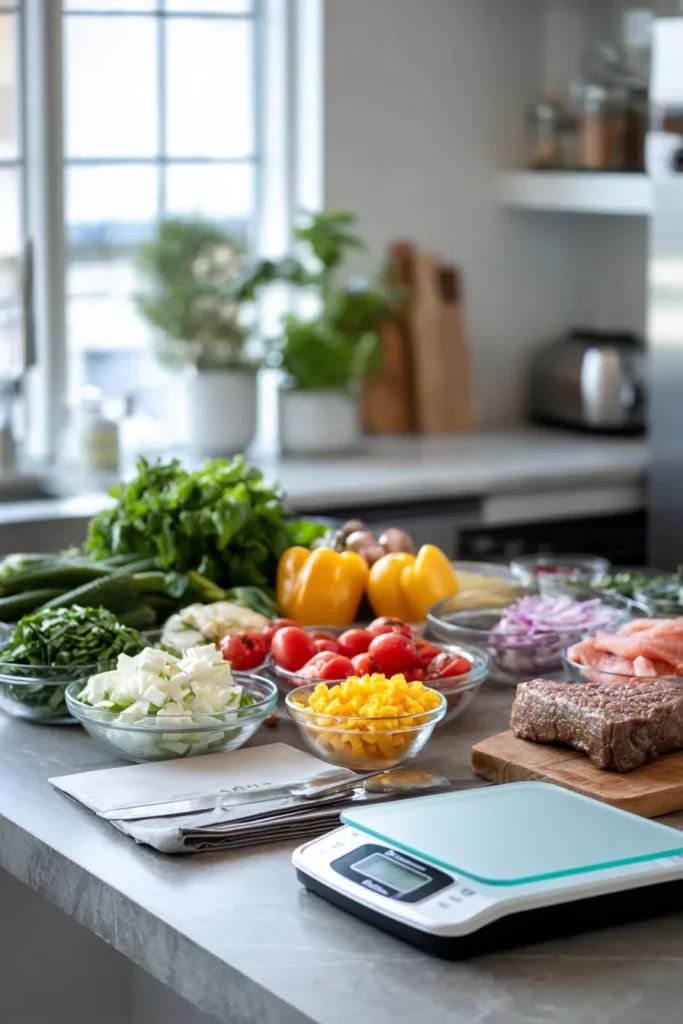
Food scale = grams
If that’s not practical, second best is;
Use packet serving sizes
Use cups, spoons or standard portions
The goal is consistency, not micromanaging. But sometimes our own eyes perceive so guessing isn't portion control either!
Step 4: Raw vs Cooked
Food changes weight when cooked.
Rules:
Log foods as either raw OR cooked
Stay consistent with the method you choose
Examples:
Chicken logged raw → always log chicken raw
Rice logged cooked → always log rice cooked
This keeps your data accurate for review! And make sure to check your logging the correct one.
Rice → Basmati Rice Cooked (grams)
Chicken → Chicken Breast Raw (grams)
Step 5: Eating Out on Flexible Days
You do not need to avoid eating out.
Ingredient-by-ingredient:
Egg on sourdough at a cafe → log x1 egg, x1 large slice of sourdough, 10g of butter, half an avocado, 1 teaspoon of sesame seeds etc
OR like-for-like logging:
Burgers → log a basic burger entry - maybe the burger looks almost the same as a grill'd option so look for their nutrition info!
If the restaurant appears in MyFitnessPal or has macros online use it.
If not, keep it simple and move on.
Step 6: Let the Sync Do Its Job
Once food is logged in MyFitnessPal:
Calories and macros sync into the Fuelled app
Your coach or dietitian follows along day by day, and then uses to review in your check in!
Tips or reminders
Skipping logging because it’s not “perfect”
Logging only main meals but missing snacks
Switching between raw and cooked entries
Overthinking or logging things that don't matter like salt, herbs, spices, gum, 0 calorie drinks etc.
Tracking is how we learn about our choices, give detail to our professionals and assist navigate nutrition so you don't have to meticulously track forever!
Make Your MyFitnessPal Diary Public (Important!)
Your diary must be public for your coach to view your data.
Open MyFitnessPal
Go to Menu → Settings → Diary Sharing
Set Diary Privacy to Public
How to Connect MyFitnessPal to Fuelled
Open the Fuelled app
Go to Settings then App Integrations
Select MyFitnessPal
Enter MyFitnessPal Username details
Once connected, your food logs, calories and macros will sync automatically!